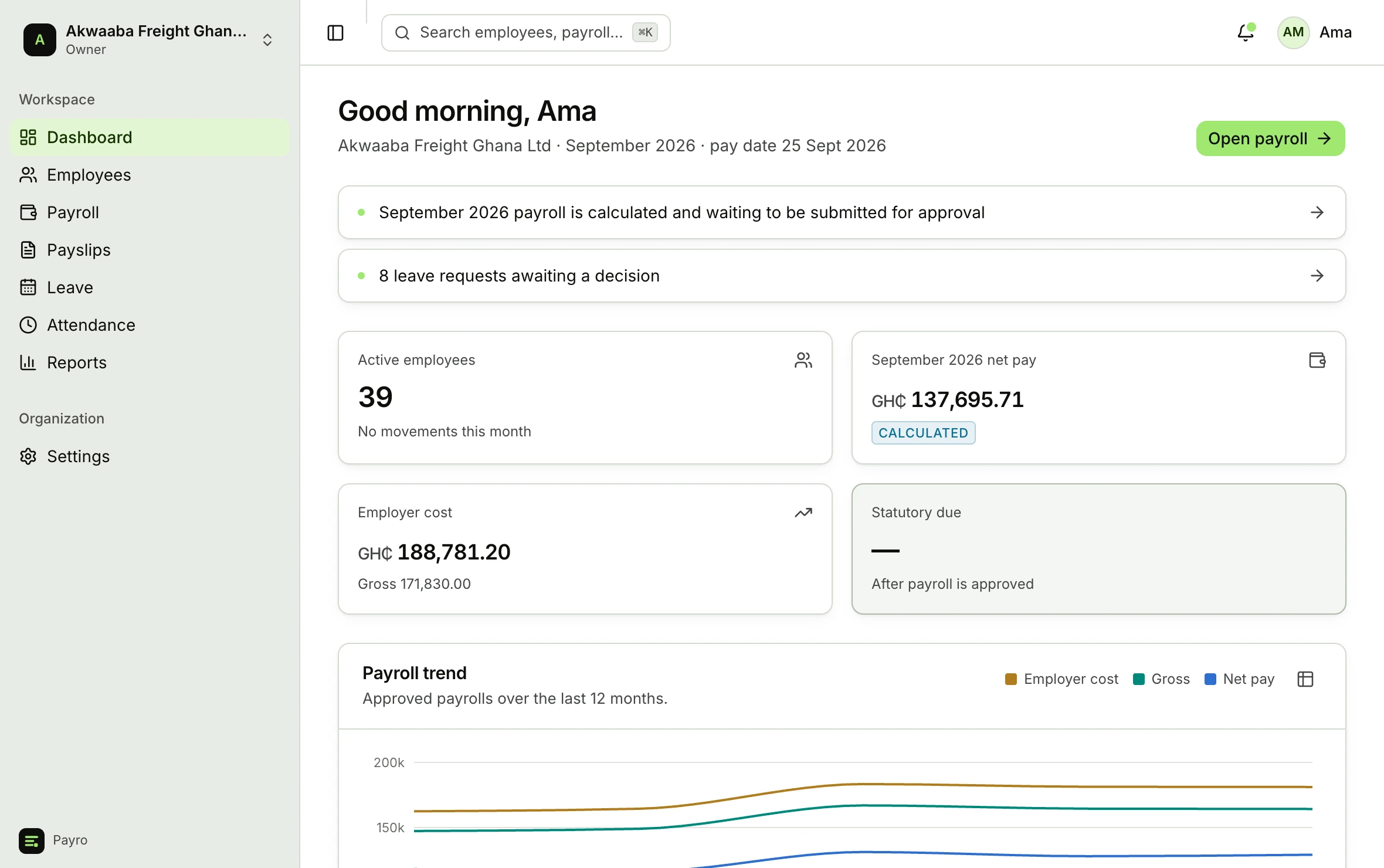
Ten steps from an open period to a closed one.
The run moves in the order a finance officer already works. Nothing is hidden behind a “calculate” button: every figure on every payslip can be opened and read back to the rule that produced it.
The run, and what stops it
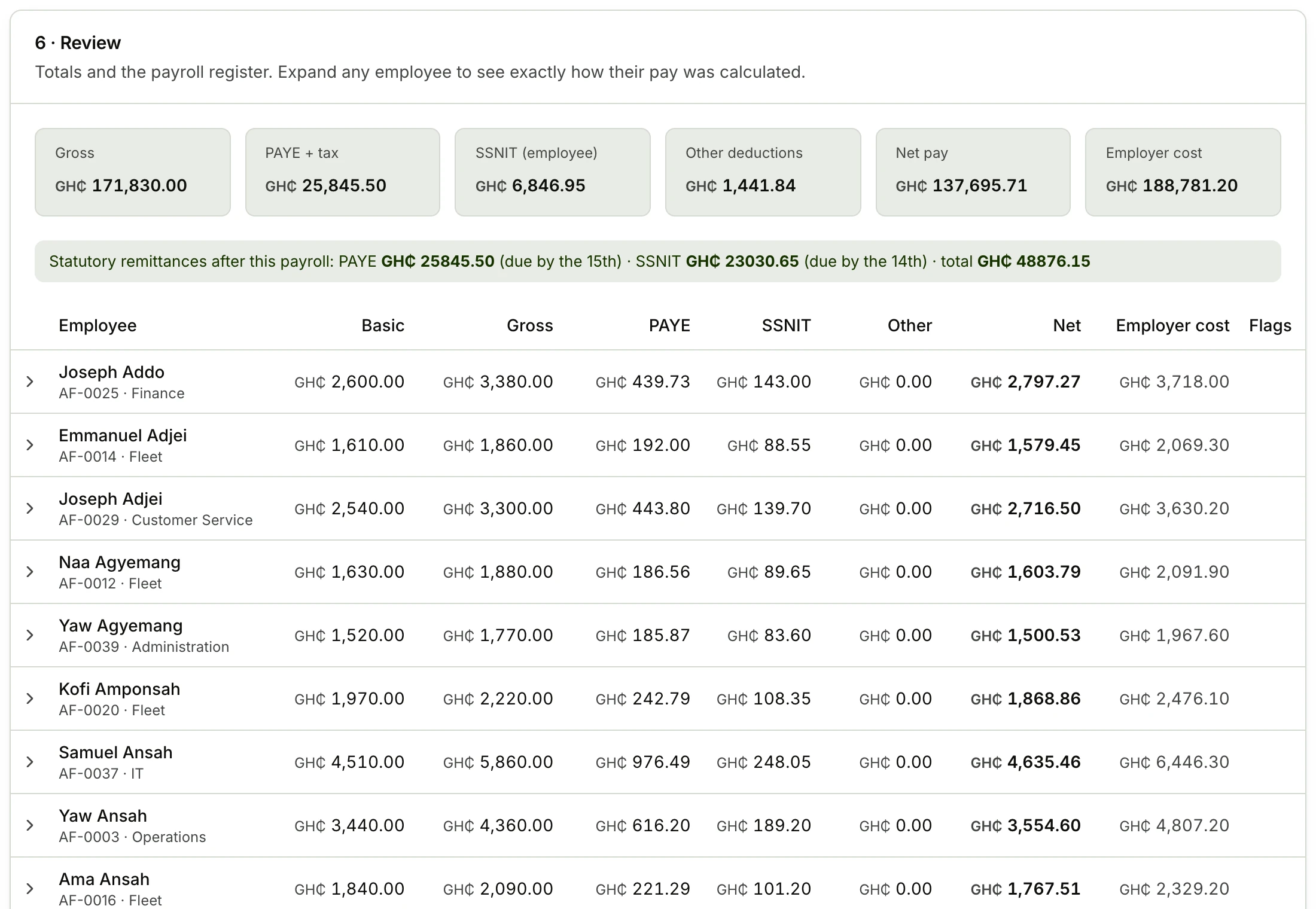
An exception engine checks every employee before the run can move. Blocking exceptions must be resolved; warnings need a person to look and decide. Nothing is approved by accident.
Some of what it catches
- BlockingNo compensation record
An employee on the run has no salary in effect for this period.
- BlockingBelow the national minimum wage
Gross pay falls under the daily minimum for the days worked.
- BlockingMissing bank or MoMo details
Net pay has nowhere to go on the transfer file.
- WarningPay changed by more than 30%
Usually a promotion or a proration, but it asks you to confirm.
- WarningNegative net pay
Deductions and loan instalments exceed earnings this month.
- WarningLoan instalment exceeds the balance
The final instalment is capped to settle the loan exactly.
Approval is separated from calculation: the person who runs payroll cannot be the only person who approves it. The rule version is pinned at approval, and the period can only be reopened by an owner.
Payslips that show their working
Generated as PDFs on approval, emailed with delivery tracking, and readable by the employee on their own phone. Every line names the rule, the base and the rate that produced it.
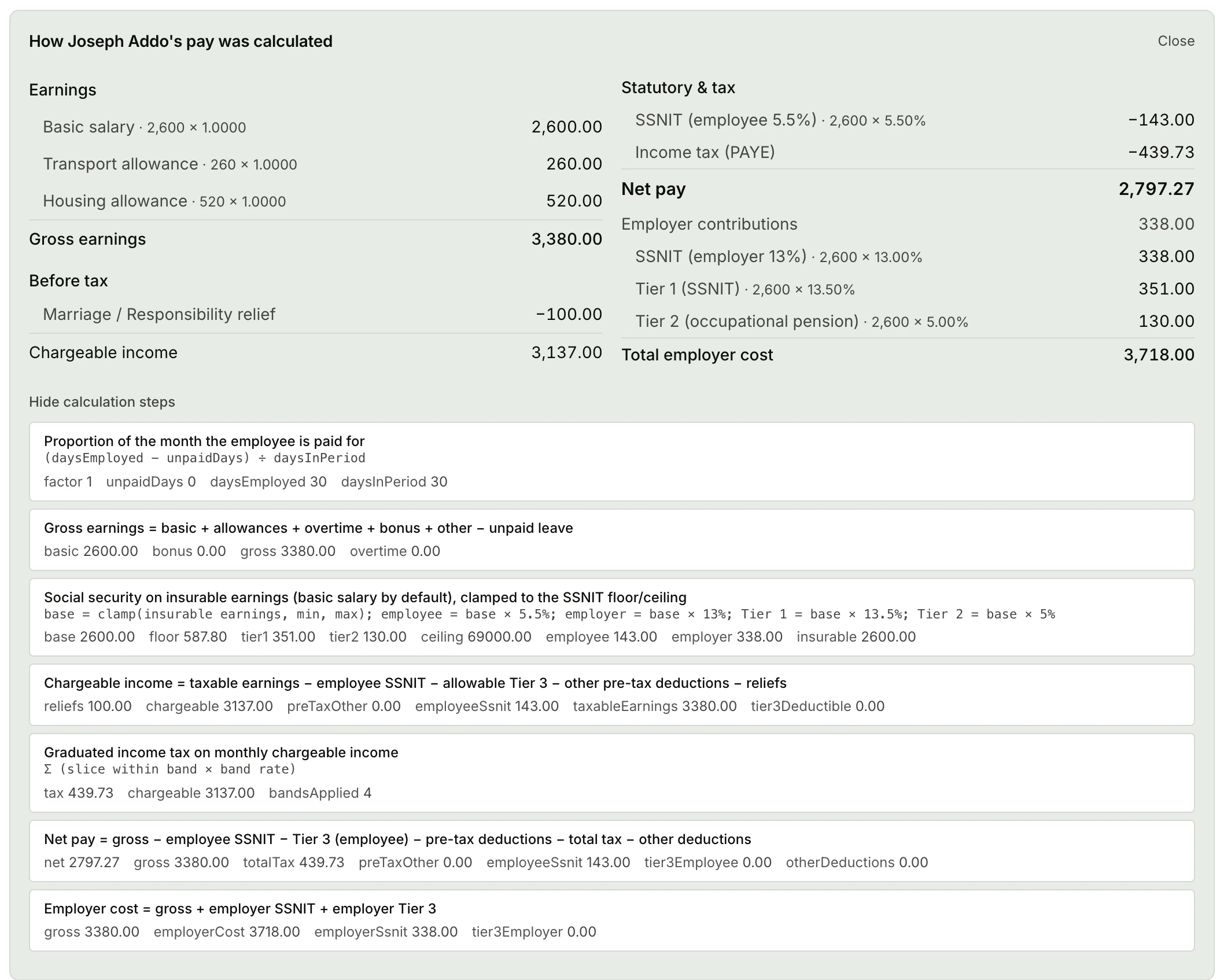
- A calculation trace, per employee
- Proration, gross, SSNIT base, each PAYE band, reliefs, post-tax deductions and net pay, in the order the engine resolved them.
- Lines that sum to the totals
- Every line is rounded half-up to two decimals and the totals are sums of the rounded lines, so a payslip always reconciles.
- Filing schedules, dated
- PAYE and SSNIT schedules carry their statutory due dates, the 15th and the 14th, so the deadline travels with the document.
- Payment schedules that match your bank
- Net pay grouped by bank and by mobile money network, exported to CSV or Excel.
The people record payroll depends on
A payroll run is only as correct as the data behind it. All of it lives here, versioned where it matters and audited everywhere it is sensitive.
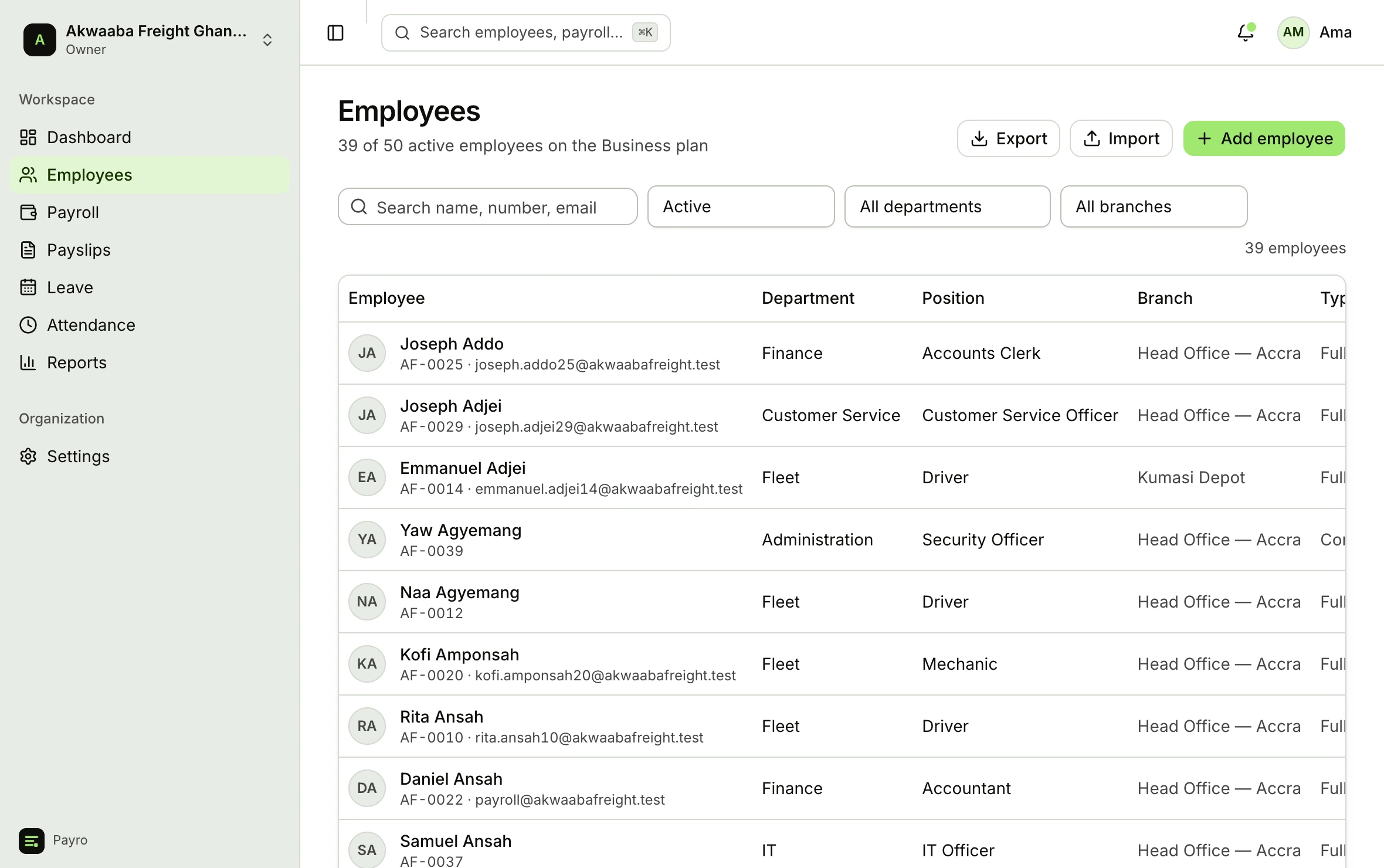
- Employees
- Personal details, employment, branch, department and position. Bank account, TIN and SSNIT numbers are encrypted at rest and shown only to roles allowed to see them. Import a spreadsheet of staff through a guided wizard that shows you what it will do before it does it.
- Compensation
- Salary is a version with an effective date, not a field you overwrite. Custom earning and deduction types carry their own tax and SSNIT treatment, so an allowance you invent is still handled correctly by the engine.
- Leave
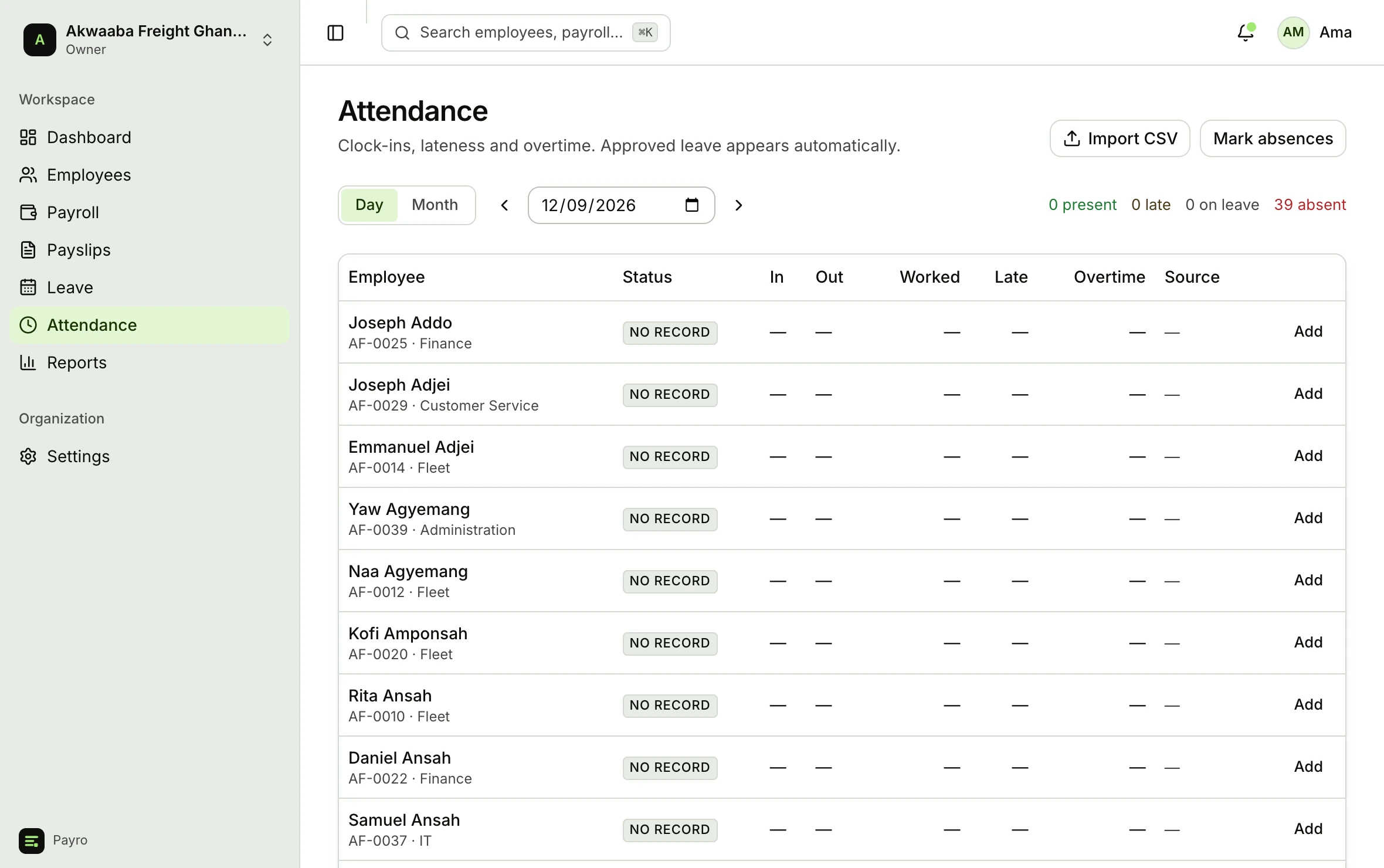
- Leave types with entitlement, accrual and carry-over policies. Requests count working days around Ghana's public holidays, support half days, and route to the manager or HR. Approved leave writes attendance; unpaid leave reduces that month's pay.
- Attendance, lateness and absence
- Clock in and out from a phone, import a CSV, or feed a device through a token-authenticated endpoint. Lateness, early departure and overtime are derived from each employee's own schedule and Ghana's public holidays rather than one office-wide start time. Approved overtime is paid at your multipliers and taxed at the statutory concessionary rates, and approved leave writes attendance for you.
- Loans and advances
- Issue a staff loan, set the instalment, and it is deducted every month until the balance clears, with the remaining balance visible on the payslip.
Where a phone clock-in is allowed
Give each branch a location on the map and a radius, and Payro checks the phone’s position against the branch every time someone clocks in. Pick one setting for the organisation.
- Don't check locationDefault
Clock-ins are recorded without any location check. Nothing changes for your staff.
- Record where they clocked in
Everyone can still clock in from anywhere. Anyone outside their site is flagged for a manager, with the distance shown.
- Only allow it at the site
A clock-in outside the branch radius, or with location switched off, is refused. The employee is told how far from the site they are.
A branch without a location on the map has no geofence, whatever the setting, so nobody is locked out because a site was never set up. A manager can always record attendance by hand.
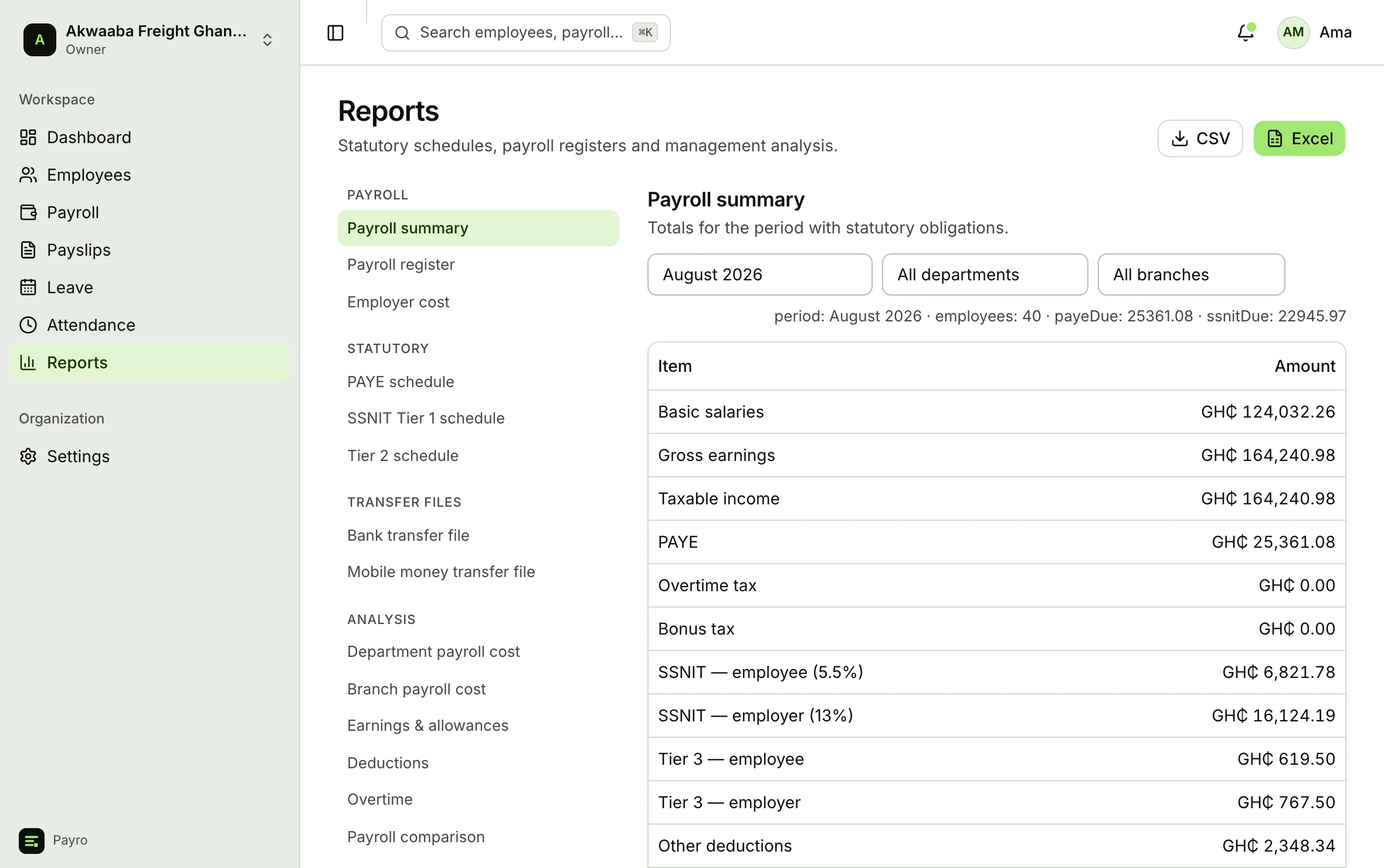
Twenty reports, all of them exportable
Payroll register, employer cost, department and branch cost, earnings and deduction breakdowns, overtime, payroll comparison, headcount, salary history, loan balances, leave, attendance, and the PAYE and SSNIT schedules you file.
See it on your own payroll.
Import your staff, calculate the month you are in, and read the working before you approve anything.